Part 3 of 10: The Capabilities Series
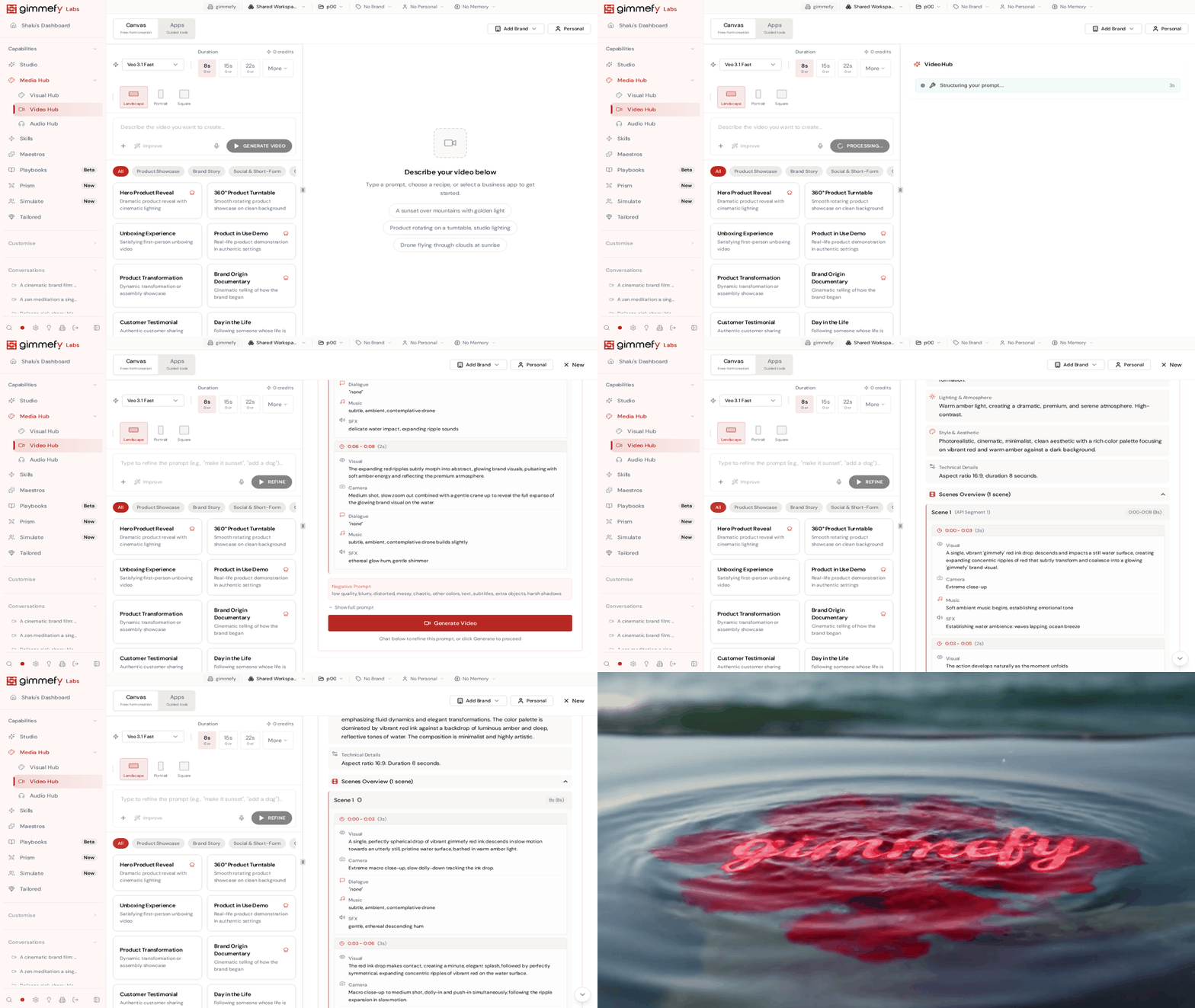
I asked gimmefy to make a product launch video. I typed one sentence. What came back was a full screenplay — scene breakdowns, camera directions, voiceover cues, the works. Then it turned that screenplay into a two-and-a-half-minute video. One sentence in. Broadcast-quality video out.
I sat there staring at my screen thinking: this used to take three weeks and a production agency.
The Problem: Video Is the Most Wanted, Least Accessible Medium
Every marketer knows video wins. It outperforms every other format on every platform. LinkedIn posts with video get 5x the engagement. Social ads with video convert at nearly double the rate. Your audience wants video. Your boss wants video. Your metrics demand video.
So why does your marketing team produce maybe two videos a quarter? Because video production is still stuck in 2015. Even with AI tools, the workflow is brutal. You write a script in one place. You generate clips in another. You stitch them together in a third. The AI video tools are individually impressive — Sora, Veo, Kling — but each one is an island.
The Messy Middle of Video
The real pain isn’t generating a single clip. It’s everything around it. Your social team needs the same video in landscape for YouTube, square for Instagram, vertical for TikTok, and 16:9 for the website. Your content team wants a 15-second teaser and a 2-minute long version. Your regional team needs it adapted for three markets.
So you open Premiere Pro. Or CapCut. Or DaVinci Resolve. You crop. You trim. You re-export. You upload to five platforms. A “quick video” has become a three-day production cycle spread across six tools.
Enter Video Hub
Every model, one canvas. Veo, Sora, Kling, Seedance, Grok — the world’s best video models, all in one place. No separate accounts. No switching tabs. Choose the model that fits your project, or compare outputs side by side.
The Screenplay Engine. You don’t just type a prompt and get a video. Video Hub takes your prompt and first creates a full screenplay — scene descriptions, transitions, pacing, voiceover direction. You review it, tweak it, approve it. Then it generates the video from that screenplay. It’s the difference between a random AI clip and a directed film.
Duration and format control. Choose your length — 5 seconds for a social teaser, 30 seconds for an ad, up to two-and-a-half minutes for a full piece. Choose your aspect ratio. Choose your style. The control is granular without being overwhelming.
Prompt Gallery and Improve. Browse proven video prompts, adapt them to your project. Hit Improve and gimmefy rewrites your prompt for better results. Your Brand Vault keeps everything on-brand.
Built-in editing. Trim, adjust, refine — without leaving the platform. No export-edit-reimport cycle.
The Payoff: Video at the Speed of Thought
When video creation collapses from a three-day multi-tool marathon to a single conversation, the entire calculus changes. You don’t produce two videos a quarter. You produce two videos before lunch.
Product launch? Generate the hero video, the social teasers, and the email GIF in one session. Campaign refresh? Swap the model, adjust the screenplay, regenerate. Regional adaptation? Same canvas, different parameters.
The Moving-Image Layer of the Media Hub
Visual Hub handles images. Video Hub handles motion. And Audio Hub handles everything you hear. Same philosophy across all three: every model, one canvas, your brand baked in.
One Media Hub. Three dimensions of content. Zero production bottleneck.
Leave a Reply