Part 2 of 10: The Capabilities Series
Let me tell you about the most expensive screenshot folder on my desktop. It’s called “Campaign Visuals — Final FINAL v3.” It has 247 files. Half were made in Midjourney. A quarter in DALL-E. A few in Ideogram. None of them match each other.
That folder is a monument to the real problem with AI image generation: the tools are incredible, but using them is chaos.
The Problem: Subscription Roulette
Here’s what the AI image revolution actually looks like from inside a marketing team. Monday: You need a product hero shot. You open Midjourney — but your subscription lapsed. You switch to DALL-E. The style doesn’t match last week’s campaign. Your designer tries Ideogram for typography. Now you have three tools, three visual languages, and a creative director asking why nothing looks cohesive.
Tuesday: Your social media manager needs 12 variations — different sizes for Instagram Stories, LinkedIn feed, Facebook ads, Google Display. She spends four hours manually resizing in Canva.
Wednesday: Someone discovers a new model. That’s subscription number four. New interface, new prompts, new learning curve.
This is the subscription tax. Five image generators, five interfaces, five visual styles. Your brand looks like it was designed by committee — because it was.
The Messy Middle of Image Generation
The subscription sprawl is the easy problem. The harder problem is what happens between generating the image and actually using it. You generate a beautiful hero visual. Now you need it in nine different sizes. Each needs different cropping, different focal points, different text safe zones.
So you open Photoshop. Or Canva. Or Figma. You resize, crop, adjust, export. Nine times. For one visual. You’ve become a manual pipeline between the AI that creates and the channels that consume.
Enter Visual Hub
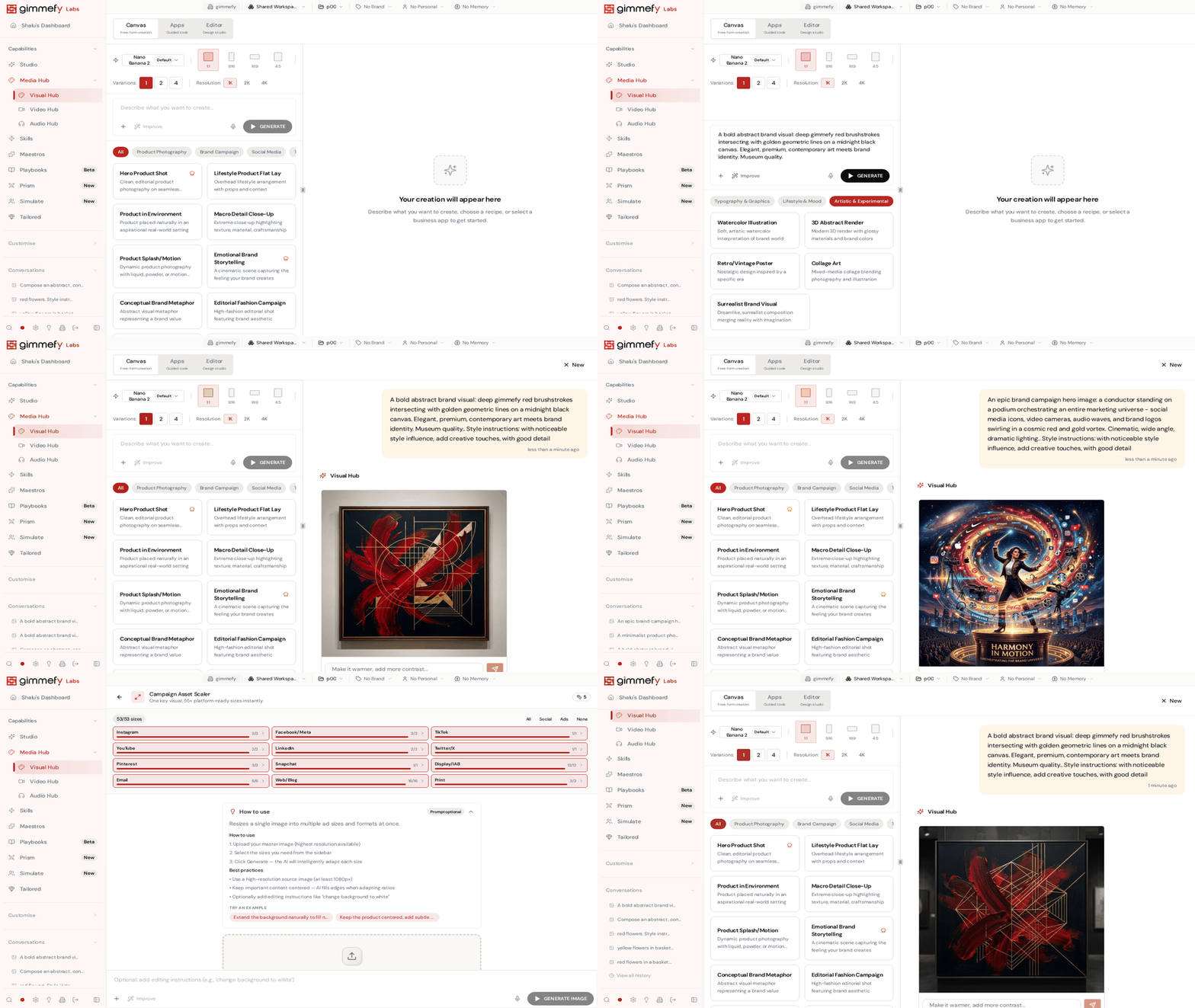
Every model, one place. Six of the world’s best image generation models — SeedReam, GPT Image, Gemini, Kling, Grok Imagine — all available on the same canvas. No separate subscriptions. Pick the model that fits the job, compare side by side.
Your brand, baked in. Connect your Brand Vault and every image comes out on-brand. Your colours, your typography rules, your visual identity travel with every generation.
The Prompt Gallery. Browse a curated gallery of proven prompts. Pick one, tweak it, generate. When someone nails a perfect prompt, it goes into the shared library. Institutional creative knowledge, growing every day.
Campaign Asset Scaler. Upload one visual. Campaign Asset Scaler generates 50+ perfectly formatted versions — every social platform, every ad format, every display size. One visual in, fifty assets out. What used to take half a day now takes thirty seconds.
15 Specialised Visual Apps. Multi-Variant Ad Creator, Product Photo Studio, Brand Mark Generator, Creative Mashup Studio, Campaign Storyboard Builder, and more — each purpose-built for specific marketing workflows.
The Editor. For final touches — cropping, text overlays, quick adjustments — the built-in editor means you never leave the platform. Generate, refine, resize, export. One workflow.
The Payoff: One Visual, Infinite Formats
When your entire visual pipeline lives in one place, you stop thinking about tools and start thinking about ideas. A campaign that used to require three subscriptions, two design tools, and a full day of production? Visual Hub handles it in one session.
Just One Part of the Media Hub
Visual Hub is the image layer of gimmefy’s Media Hub. Video Hub does the same for video. Audio Hub does it for audio. Same philosophy: every model, one canvas, your brand built in.
Leave a Reply